
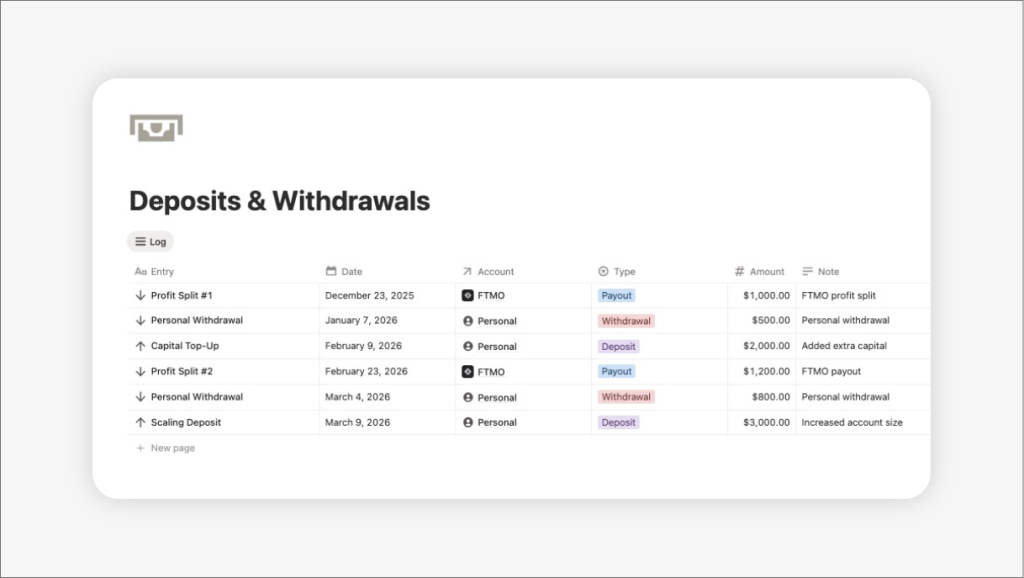
If you keep a trading journal long enough, you eventually run into a common problem.
You deposit more capital into your account… or withdraw profits… or receive a payout from a prop firm.
Suddenly your statistics stop making sense.
Your ROI jumps.
Your equity curve looks strange.
Your performance metrics no longer reflect your actual trading skill.
This happens because many trading journals mix trading performance with external cash movements.
In this article we’ll explain why this happens and how to structure a trading journal so deposits, withdrawals, and payouts don’t distort your statistics.
Table of Contents
- 1 Why Deposits and Withdrawals Break Trading Statistics
- 2 The Correct Way to Track Deposits and Withadrawals
- 3 Example: Correct Account Balance Calculation
- 4 The Capital Management System
- 5 Why This Matters, Especially for Prop Firm Traders)
- 6 How The Trading Suite Pro Notion Template Solves This
- 7 Final Thoughts
Why Deposits and Withdrawals Break Trading Statistics
A trading journal is designed to measure trading performance.
Metrics like:
- Win Rate
- Risk-Reward Ratio (RR)
- Return on Investment (ROI)
- Net Profit
- Equity Curve
should only be affected by trades.
But if you add deposits or withdrawals directly into your trade log, the system interprets them as trading results.
Example:
Initial capital: $10,000
You make a trade and earn $2,000.
Your account becomes:
$12,000
If you then withdraw $1,000 and record it incorrectly inside the trade journal, your statistics can become distorted.
Your journal might think:
- you lost money
- your ROI dropped
- your performance changed
even though the withdrawal has nothing to do with your trading performance.
This is why professional trading analytics tools always separate performance data from cash flow.
The Correct Way to Track Deposits and Withadrawals
The solution is simple but important.
You need to separate two different concepts:
1. Trading Performance
Data that comes from actual trades.
Examples:
- entry price
- exit price
- risk percentage
- risk-reward ratio
- profit or loss
These are the metrics used to evaluate how good your trading decisions are.
2. Capital Movements (Cash Flow)
Money moving in or out of the account that is not related to a trade.
Examples:
- deposits
- withdrawals
- prop firm payouts
- capital adjustments
These should affect the account balance, but they should never affect trading statistics.
Example: Correct Account Balance Calculation
Let’s say you start with:
Initial capital: $10,000
After a few trades you generate:
Trading PnL: +$2,000
Your account now contains:
$12,000
Later you withdraw $1,000.
Your real account balance becomes:
$11,000
But your trading performance is still +$2,000.
The withdrawal should not change your:
- win rate
- risk-reward ratio
- trading ROI
- performance metrics
It only affects the cash available in the account.
The Capital Management System
The best way to handle this is by introducing a Cash Flow system in your trading journal.
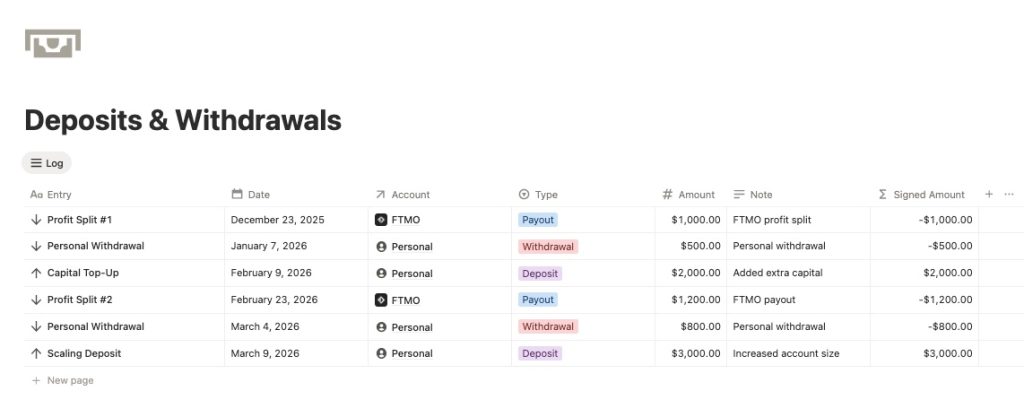
Instead of recording deposits and withdrawals inside the trade log, you track them in a separate database or section.
Typical entries include:
- Deposit
- Withdrawal
- Prop Firm Payout
- Capital Adjustment
Each entry records:
- date
- account
- transaction type
- amount
- notes
The system then calculates the account balance using:
Initial Capital
- Trading PnL
- Deposits
− Withdrawals
− Payouts
This keeps performance metrics clean while still showing the true account balance.
Why This Matters, Especially for Prop Firm Traders)
This separation becomes even more important if you:
- trade with prop firms
- receive regular payouts
- withdraw profits frequently
- add capital over time
Without separating trading results from cash movements, your statistics quickly become unreliable.
Many traders believe their strategy is performing worse than it actually is simply because their journal is mixing performance data with cash flow.
How The Trading Suite Pro Notion Template Solves This
To solve this problem, The Trading Suite Pro Notion template now includes a feature called Deposits & Withdrawals Tracking.
This system allows traders to:
- record deposits
- track withdrawals
- log prop firm payouts
- adjust account capital
All without affecting trading performance metrics.
Your trading analytics remain clean, while your account balance stays accurate over time.
This is especially useful for traders who:
- manage multiple accounts
- trade funded accounts
- withdraw profits regularly
- want more accurate performance analytics
Final Thoughts
A trading journal should measure how well you trade, not how money moves in and out of your account. Notion allows it.
By separating trading performance from capital movements, you get:
- more accurate statistics
- clearer equity curves
- better strategy analysis
- a realistic view of your account balance
If you’re serious about improving as a trader, structuring your journal this way makes a significant difference.
If you’d like to see how this Notion template works in practice, you can explore it inside The Trading Suite Pro, a professional trading journal built in Notion for traders who want deeper performance analytics.

