
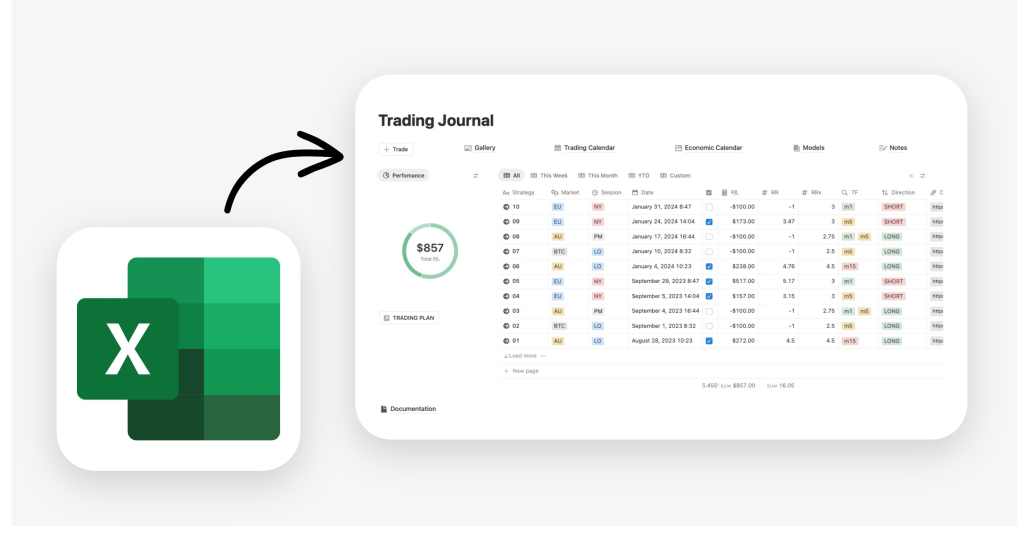
If you are looking to download a free Excel trading journal, you are likely looking for discipline. You want a place to track your wins, analyze your losses, and grow your account. For decades, the trading journal spreadsheet has been the gold standard.
However, after years of fixing broken formulas and squinting at rows of text, I realized that Excel was actually holding my analysis back. I found a better alternative that combines the power of a database with the flexibility of a professional workspace: Notion.
Here is why I migrated my data and why you should consider doing the same.
Table of Contents
Why Notion is the Evolution of the Trading Journal Excel Spreadsheet
While an Excel trading journal is great for raw math, it fails when it comes to the “why” behind a trade. Notion fills that gap with features that Excel simply wasn’t built for.
1. Visual Trade Log: Drag-and-drop screenshots
In a traditional Excel trading journal, adding a chart screenshot is a nightmare. You either have to paste a link or deal with floating images that ruin your row alignment. In Notion, every trade is its own page. You can drag and dropyour TradingView screenshots directly into the journal. Seeing your setup visually is the fastest way to identify recurring patterns.

2. Efficiency with “Select” Properties: No more repetitive typing
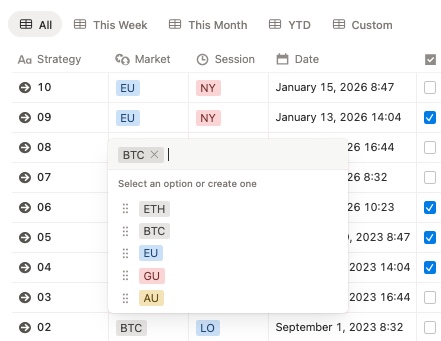
Tired of typing “Break and Retest” or “Double Bottom” over and over in your Excel cells? Notion uses Select and Multi-select properties. You can create a dropdown menu for your setups, pairs, or sessions. This not only saves time but also ensures your data is clean for filtering—no more typos ruining your monthly stats.
3. Advanced Databases: Formulas and Relations
Don’t worry, you won’t lose the “math” side of Excel. Notion supports complex formulas to add your ROI, R/R ratio, win rate, and position sizing. Furthermore, you can use Relations to link your “Trades” database with a “Trading Plan” database. This allows you to see exactly which part of your strategy is performing best in real-time.
4. Visual Progress: Bars and Rings for your results
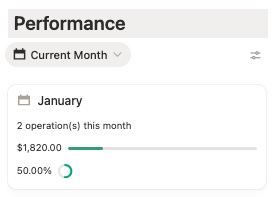
Excel’s charts can feel dated. Notion allows you to transform your numbers into progress bars and rings. Want to see how close you are to your monthly profit target? A visual ring gives you an instant, aesthetic representation of your progress. It turns boring data into a motivating dashboard.
5. Aesthetics: A clean, distraction-free environment
Let’s be honest: Excel is an accounting tool. It’s gray, rigid, and uninspiring. Notion is a design-first workspace. You can customize your journal with icons, covers, and a layout that matches your trading style. A cleaner journal leads to a clearer mind, which is essential for peak trading performance.
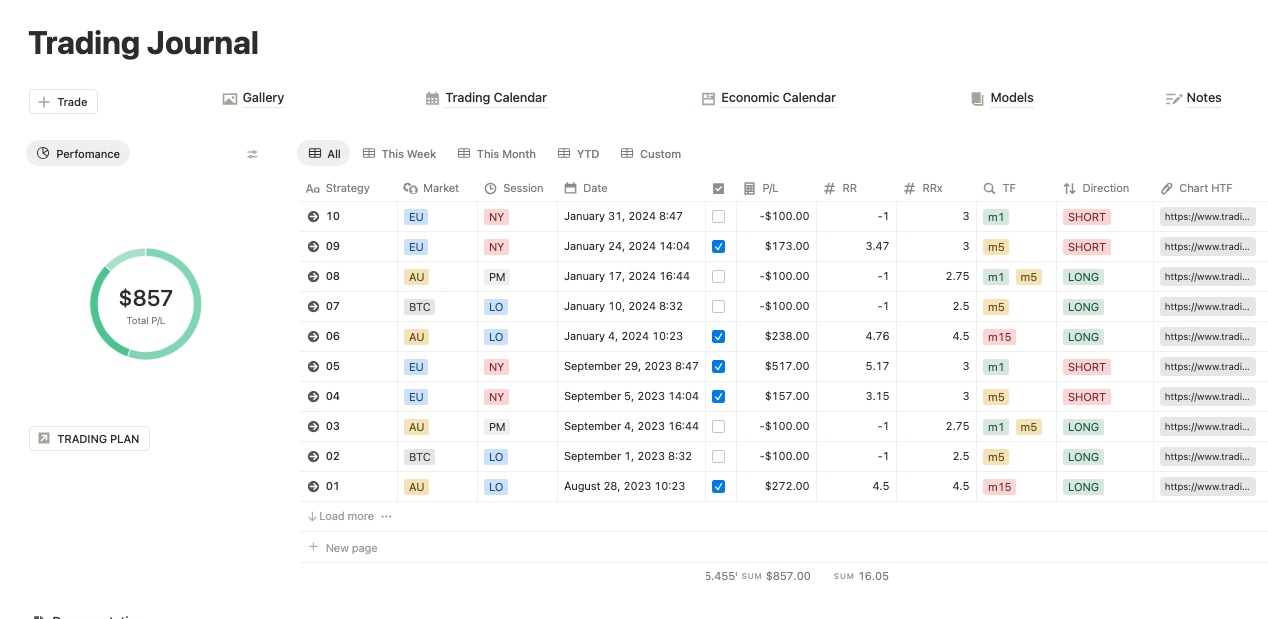
🔄 Same Job, Better Tool: Try the Notion Trading Journal Template (Free)
Why it’s better than Excel Trading Journal Spreadsheet:
- No formulas or setup — ready to go
- Add screenshots, notes, tags (without breaking anything)
- Filter by strategy, time, setup, outcome
- Works on mobile, tablet, and desktop
- Built-in dashboards and performance stats
| Feature | Excel Spreadsheet | Notion Template |
|---|---|---|
| Ready to use | ✅ | ✅ |
| Manual formulas required | ⚠️ | ❌ |
| Add notes/screenshots | ❌ | ✅ |
| Filter trades | ⚠️ Manual | ✅ 1-click filters |
| Mobile-friendly | ❌ | ✅ |
| Visual performance dashboard | ❌ | ✅ |
| Customization | ✅ But fragile | ✅ Flexible & intuitive |
| Free | ✅ | ✅ |
If all you need is a basic trading journal in Excel, grab the free template above and start tracking.
But if you want to make journaling easier, faster, and actually useful —
👉 Try the Notion version. It’s free, and you’ll never go back to spreadsheets.
What You Get:
✅ Easy-to-use dashboard
✅ Filters by strategy, time frame, or outcome
✅ Tag emotions, setups, mistakes
✅ Add screenshots of your trades
✅ Mobile- and desktop-friendly
✅ Customize without breaking formulas
All with a clean interface and zero spreadsheets.
This alternative to excel trading journal is only the free version. If you are looking for something even more advanced, check out all my trading templates.
How to Migrate from an Excel Trading Journal to Notion
Worried about losing your historical data? Don’t be. Moving your existing Excel trading journal to Notion is surprisingly easy. Just follow these steps:
Step 1: Prepare your Excel Sheet
Before leaving Excel, ensure your top row contains clear headers (e.g., Date, Pair, Entry, Exit, P&L). Remove any merged cells or complex formatting logic solely used for visuals. Save the file as a .CSV (Comma Separated Values).
Step 2: Import to Notion
Open Notion and click on “Import” in the sidebar. Select CSV and upload your file. Notion will automatically create a new database and attempt to match your columns to properties.
Step 3: Refine the Properties
This is the most important step. Notion might import your “Long/Short” column as simple text.
- Click on the column header.
- Select “Edit property”.
- Change the “Type” from Text to Select.
- Magic: Notion will automatically convert all unique text entries into dropdown tags.
Step 4: Add the Visuals
Now that your data is safe, start using Notion’s power. Open a recent trade row (which is now a page) and paste the screenshot of that setup.
You have now successfully upgraded from a static spreadsheet to a dynamic trading database.
Frequently asked questions before download free excel trading journal alternative
Is this excel trading journal template really free?
Yes, 100% free download, no credit card required.
Do I need Notion experience to use the alternative?
Nope. Just click “Duplicate” and it’s yours. No setup required.
Is Notion app free?
Yes, Notion is free for personal use and works on desktop, mobile, and browser.

